
Before you start
Sign in to your host account and check the event name before making changes.
What to do
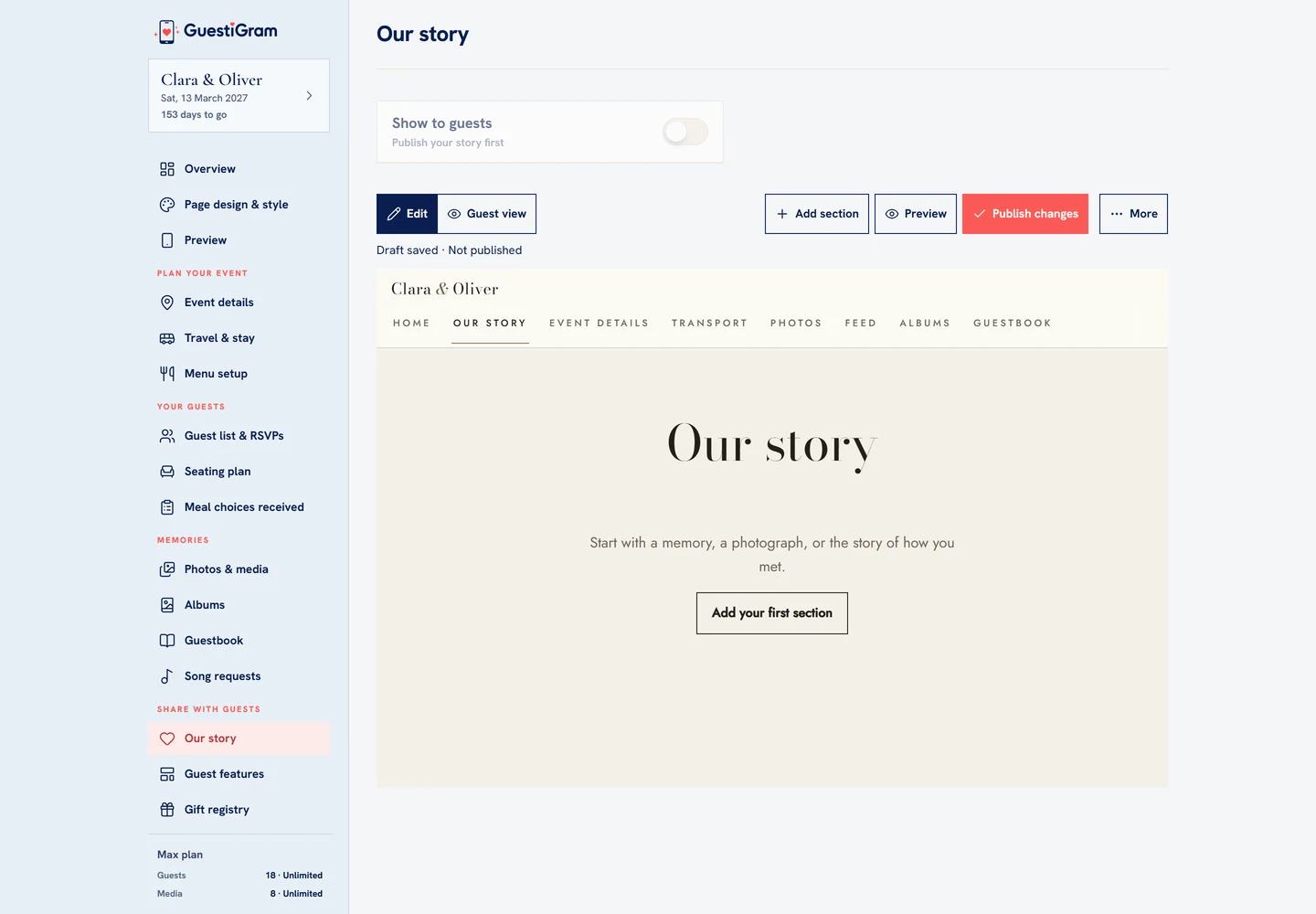
- Open Our story from the host navigation.
- Choose Add section and build the page using the available text and image controls. Edit the title if needed.
- Use Preview or Guest view to check the draft. Draft saved does not mean the changes are published.
- Choose Publish changes when the story is ready.
- Enable Show to guests after publishing, and check its navigation or shortcut in Guest features.
Check the result
Open the guest view and confirm the published text and images appear.
Good to know
- Guests see the published story, not unfinished draft edits.
- Publish later changes when you want them to appear to guests.
- Check the page on a phone and desktop, especially photographs and longer text.
Need help with this?
Tell us your event name, device and what happened. Do not include passwords or private guest details.
Contact support