Plan your wedding. Keep the memories.
Give guests one wedding website for their RSVP, the details of the day and the photos they share. Manage it all from your host dashboard.
No app for guests
One link throughout
Keep original photos and videos

One link before, during and after the day.

One scanYour wedding in one placeRSVPs · tables · photos · albums
Photo & video sharing
Bring your guests' photos together
Your guests catch moments you will want to see again. Give them one link or QR code to upload their photos and videos to your wedding gallery.
Guests upload from their phone browser
Download the original photos and videos
Browse shared uploads or find your own contributions

RSVP & guest list
Know who's coming and what they'll eat
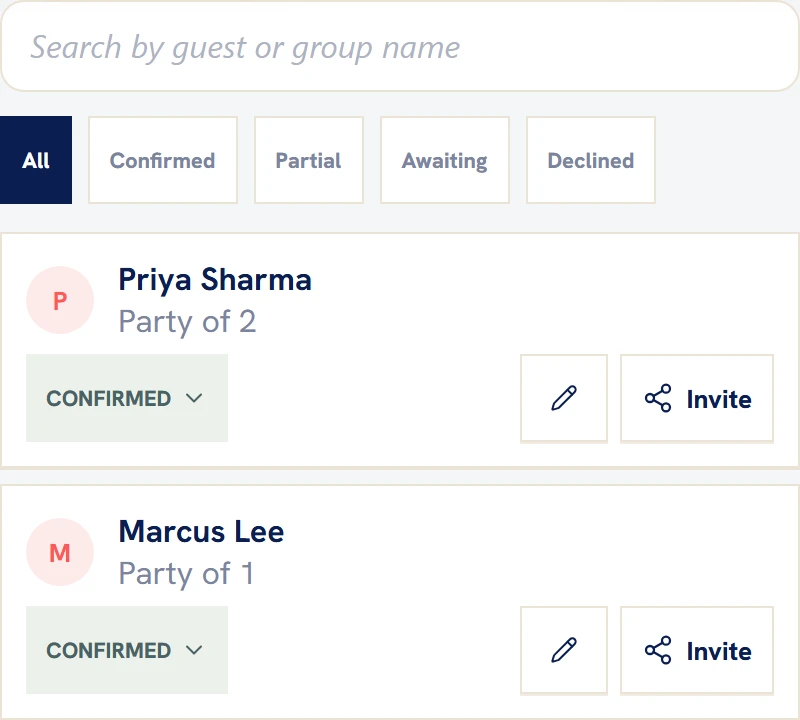
Collect replies and meal choices from each invited group. Your guest list keeps attendance and dietary notes together as you plan the tables and catering.
Collect individual meal choices and dietary notes
Export your guest list as a CSV file
Filter awaiting replies to see who needs a reminder
Wedding schedule
Help guests find the right place and time
Put your running order on the same website as your invitations. Guests can check the times and venue details, and you can edit them when plans change.
Share the schedule across all your event days
Keep venue details and map directions easy to find
Keep using the same link when you update details

Seating plan
Plan the tables. Help guests find theirs.
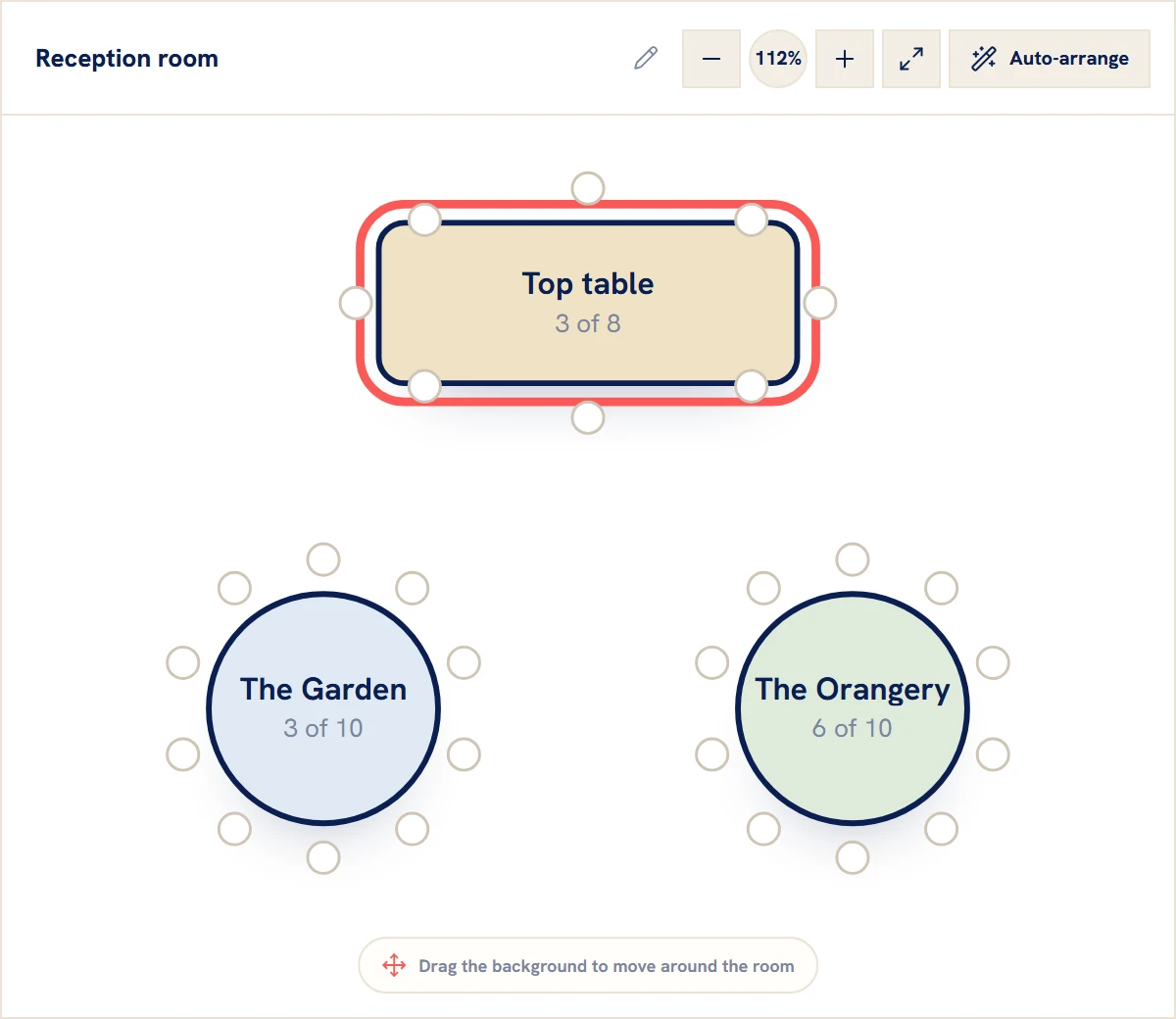
Arrange your room and assign guests to tables in the seating planner. On the day, guests can look up their names to find where they belong.
Build your room around the guests who are attending
Guests search their names to find their table
Save seating changes from your host dashboard
Digital guestbook
Keep their words as well as their photos
Invite guests to leave a note, add a photo or record a voice message. Come back to their wishes and familiar voices in your wedding guestbook.
Written notes with photo, video or voice attachments
Share your link with loved ones who cannot attend
Review guestbook entries and remove any you choose

Live feed & slideshow
Share the celebration as uploads arrive
Let guests browse the moments others have uploaded. Show approved photos in the feed or slideshow to make those shared memories part of the celebration.
Show approved uploads on a TV or projector
Guests can like their favourite photos and videos
Turn on photo and video approval to choose what appears

And the details that matter
Choose the details that suit your day
Access you control
Share your event link with guests and add optional PIN protection to control access.
Keep your favourites
Organise uploads into albums and download approved photos and videos together as a ZIP.
Choose your guest features
Turn on the tools you need, from RSVPs and meal choices to song requests and gift links.
Printable QR signs
Download your event QR code for invitations, welcome signs and table cards.
Guests join in their browser
Guests open your link or scan the QR code. They do not need a GuestiGram account.
Try every feature free
Try the full feature set for seven days from signup. Paid access starts when payment succeeds.