
Pay once - no subscriptions, ever20% off any paid plan - use code GUESTI20Try the Free plan - no credit card requiredPay once - no subscriptions, ever20% off any paid plan - use code GUESTI20Try the Free plan - no credit card requiredPay once - no subscriptions, ever20% off any paid plan - use code GUESTI20Try the Free plan - no credit card requiredPay once - no subscriptions, ever20% off any paid plan - use code GUESTI20Try the Free plan - no credit card required
20% off any paid plan - use code GUESTI20
GuestiGram

Photos & videos

Leave or review a guestbook message

Keep written wishes with photo, video or voice attachments and manage entries as a host.

For Hosts and guestsUpdated 11 October 2026

Before you start

Steps marked Host need the host account. Guests use the link supplied by their host.
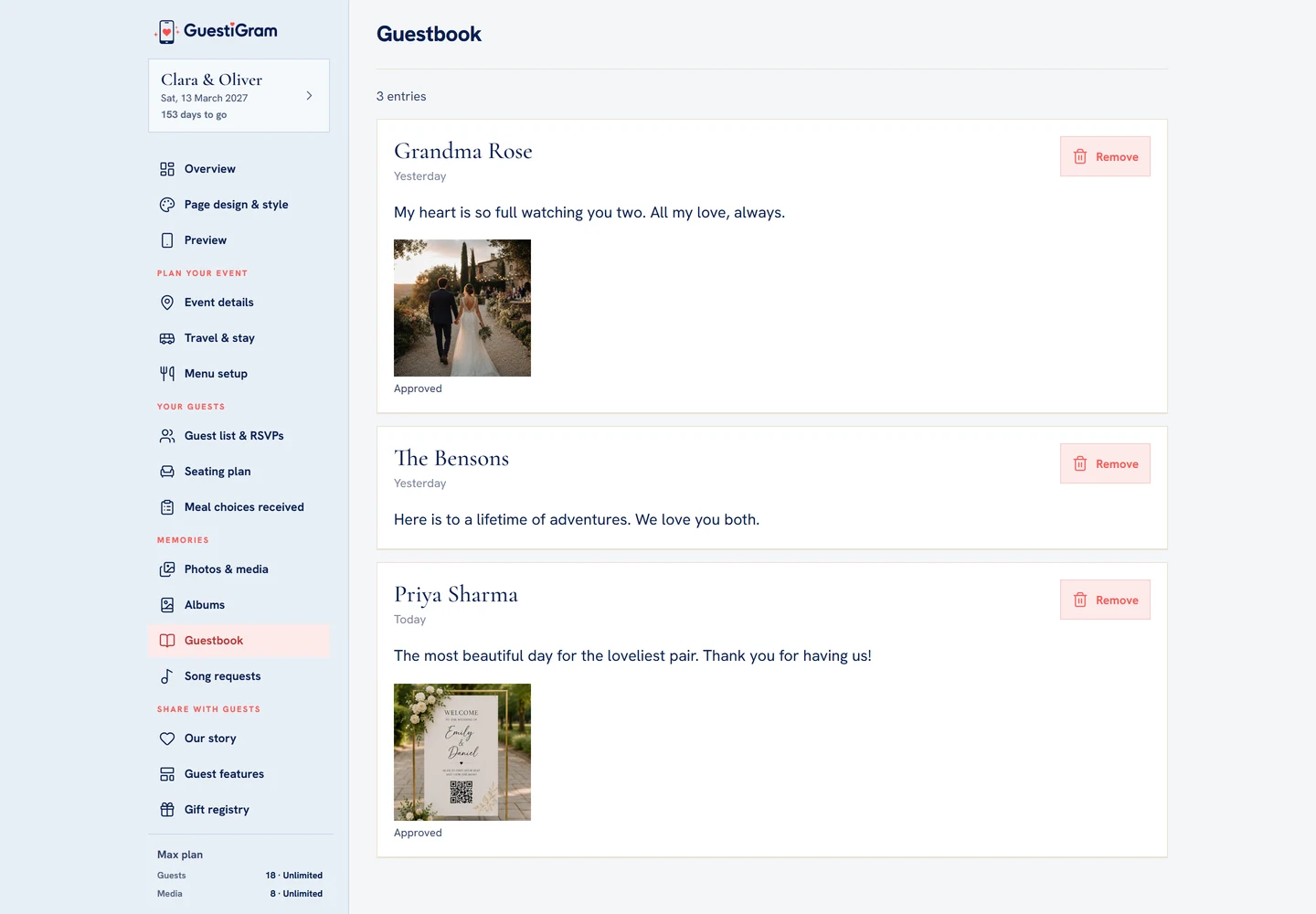
Host Guestbook now shows each entry’s message, attachments and a Remove control.
Demo example Host Guestbook now shows each entry’s message, attachments and a Remove control.

What to do

  1. Guest: open Guestbook from the event navigation or shortcut.
  2. Write your message. Use Media for a photo or video attachment, or Voice note to record a message. Allow microphone access when asked.
  3. Check the signing name and choose Sign. Wait for confirmation.
  4. Host: open Guestbook to read entries, view their attachments and play voice notes.
  5. Use Remove on an entry you want to delete, review the confirmation and wait for the result.
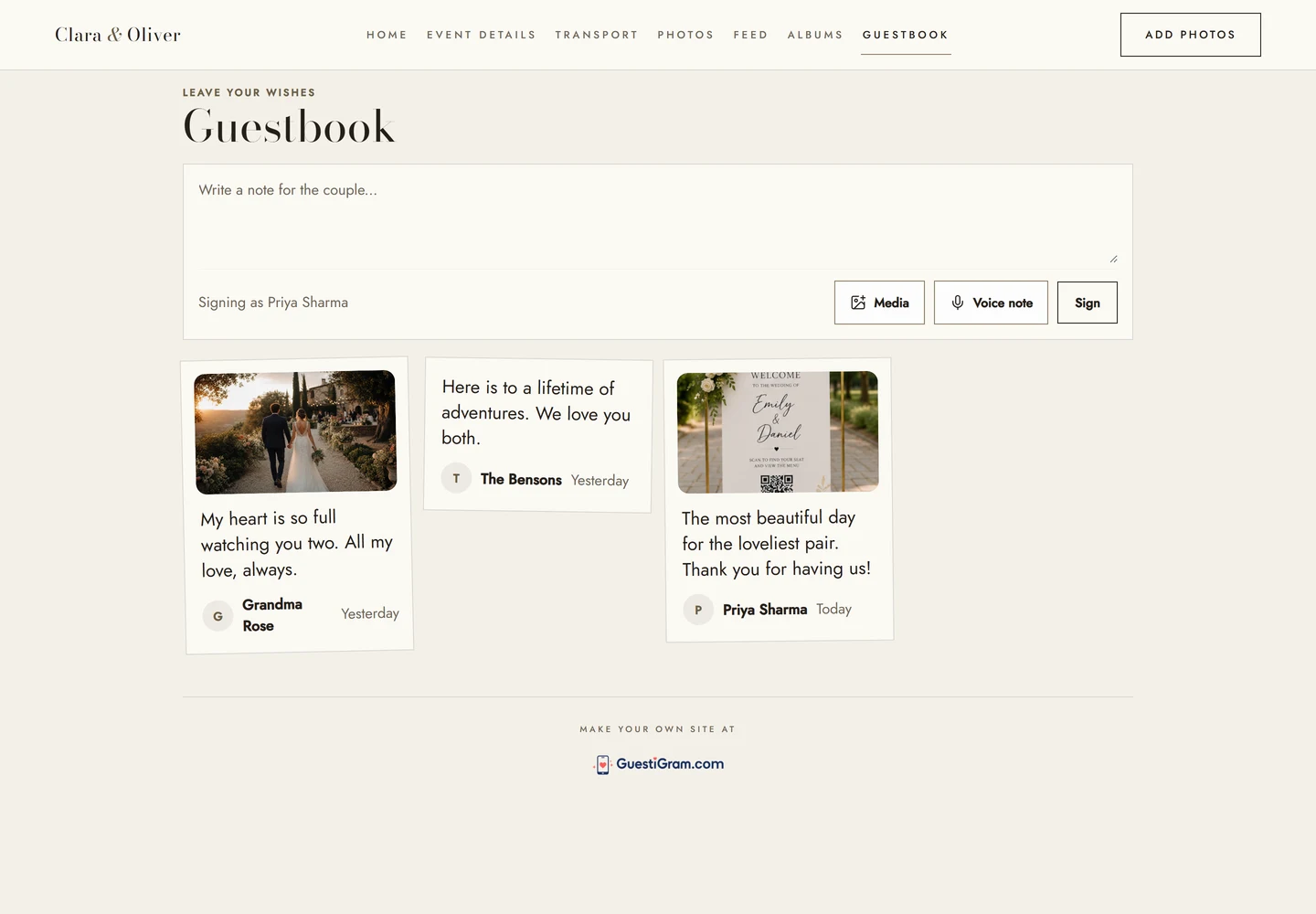
Guests can write a message, attach Media or record a Voice note before choosing Sign.
Demo example Guests can write a message, attach Media or record a Voice note before choosing Sign.

Check the result

Check the message in the guestbook after signing, or confirm it is gone after host removal.

Good to know

  • Photo and video attachments follow media approval. Written messages do not have a pre-approval queue.
  • Removing a guestbook entry does not delete its attached media from Photos & media; manage the media separately.
  • There is no one-click export of written guestbook entries. Copy messages you want to preserve into your own archive.

Need help with this?

Tell us your event name, device and what happened. Do not include passwords or private guest details.

Contact support

Still need a hand?

Contact GuestiGram support

Tell us which event and device you are using, but never send a password, verification code or complete payment details.

Contact supportUse the host account email where possible so we can identify the event safely.
© 2026 GuestiGram · Made with ♥ for every celebration
Guestigram is a trading name of Saasybrands Ltd, registered in England and Wales (company no. 17364531). Registered office: International House, 22-28 Wood Street, Doncaster, DN1 3LW, United Kingdom.
Pay once · No subscriptions