
Before you start
Sign in to your host account and check the event name before making changes.
What to do
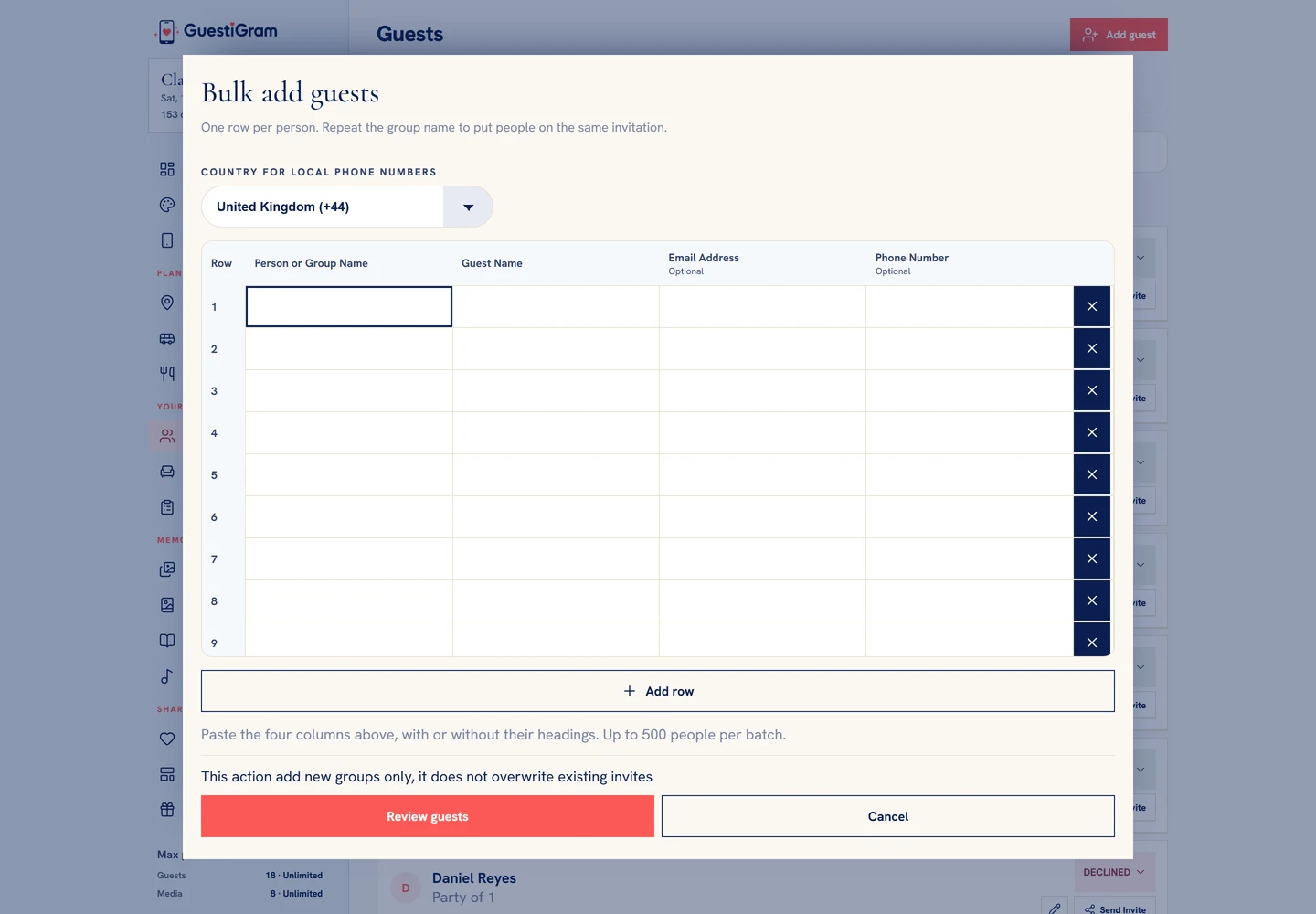
- Open Guest list & RSVPs and choose Bulk add guests. On phones, find it under More.
- Prepare one row per person in this order: Person or Group Name, Guest Name, Email Address, Phone Number. The two name columns are required; contacts are optional.
- Repeat the group name for people sharing one invitation, then paste the rows into the importer.
- Choose the country for local phone numbers, correct highlighted cells and select Review guests.
- Set each group’s invitation type. Review repeated names and matches to existing groups; skip a match or explicitly add a separate new invitation.
- Choose Add guests and wait for confirmation. If confirmation is interrupted, use Retry import confirmation for the same batch.
Check the result
Check group sizes and names in Guest list & RSVPs after confirmation.
Good to know
- You can add up to 500 people per batch and 100 per imported group, within your remaining guest allowance.
- Bulk import adds new groups only. It does not update existing invitations.
- Invitations are not sent automatically. Check the imported groups before sharing their personal links.
Need help with this?
Tell us your event name, device and what happened. Do not include passwords or private guest details.
Contact support